Desktop Development

Desktop Apps with Qt Widgets and PySide6

Learn to build powerful desktop applications using Qt Widgets and Python. Leverage Python's simplicity with Qt's robust GUI framework to create professional applications with minimal complexity and maximum productivity.

Beginner to Intermediate
35+ hours
Python
Desktop Apps with Qt Widgets and PySide6
Qt
Course Preview

See What You'll Build

Get a sneak peek at what you'll master in this comprehensive Python course

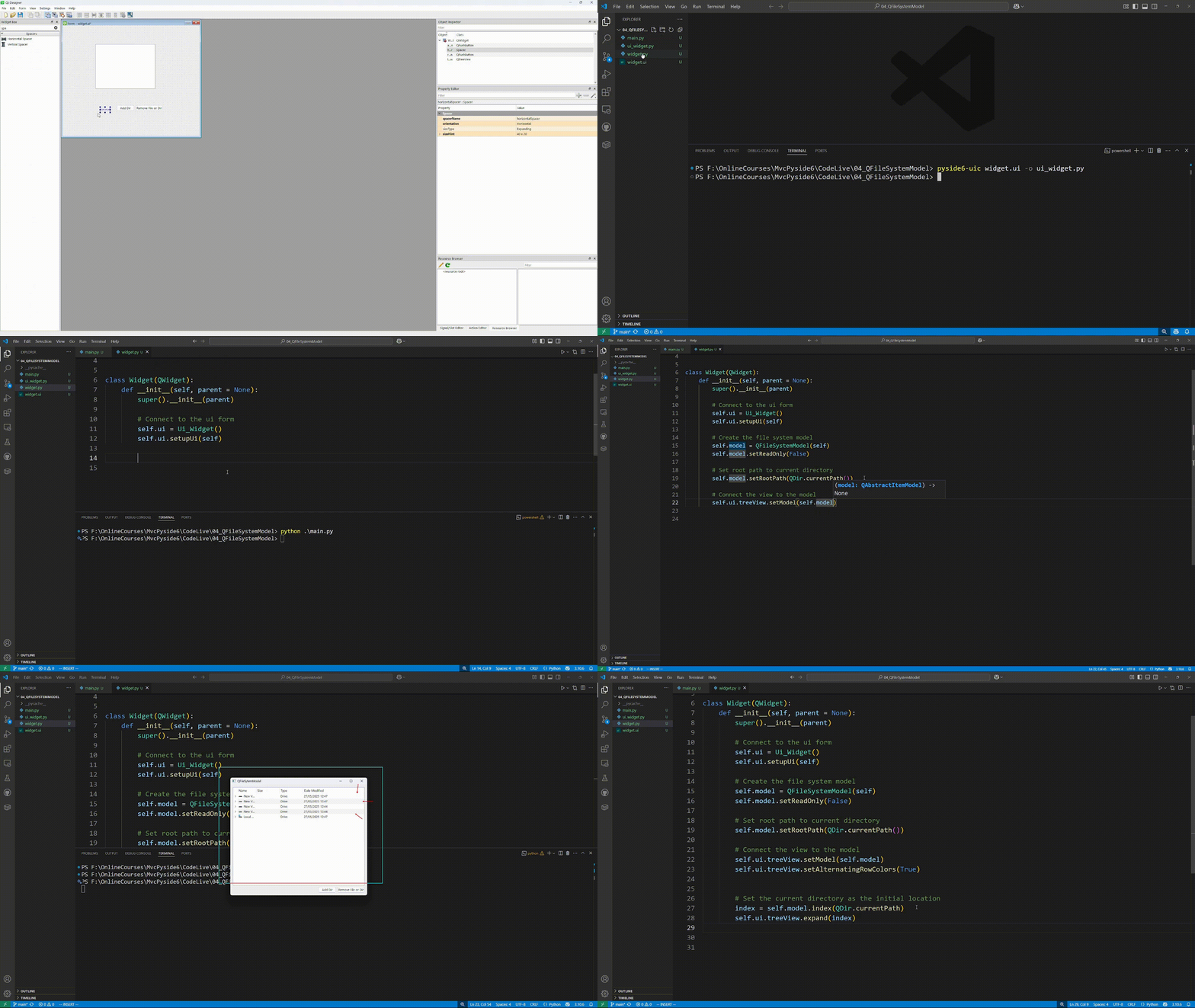
Desktop Apps with Qt Widgets and PySide6 - Course Demo
35+ hours
1,200 students
4.8 rating
Python GUI Magic

See Python's simplicity meet Qt's power

Data-Driven Apps

Build visualization and analysis tools

Rapid Development

From idea to working app in minutes

Real-World Projects You'll Build

Learn by building practical Qt applications that you can showcase in your portfolio

1
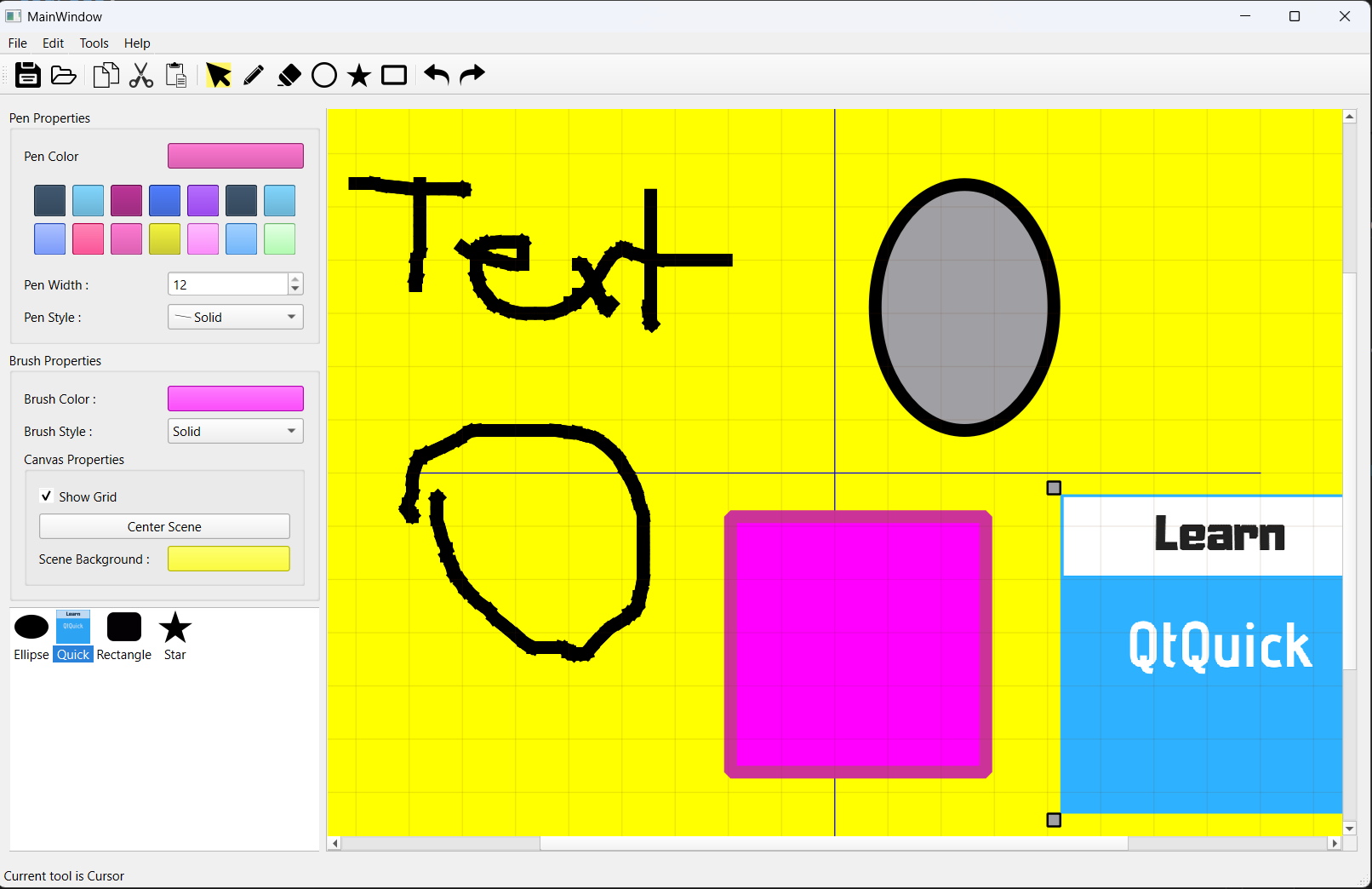
Painting Application
Qt C++

Painting Application

Build a professional painting application with selectable items, layers, and custom drawing tools using Qt Widgets and PySide6

Full Source Code
Step-by-step Guide
Beginner Friendly
2
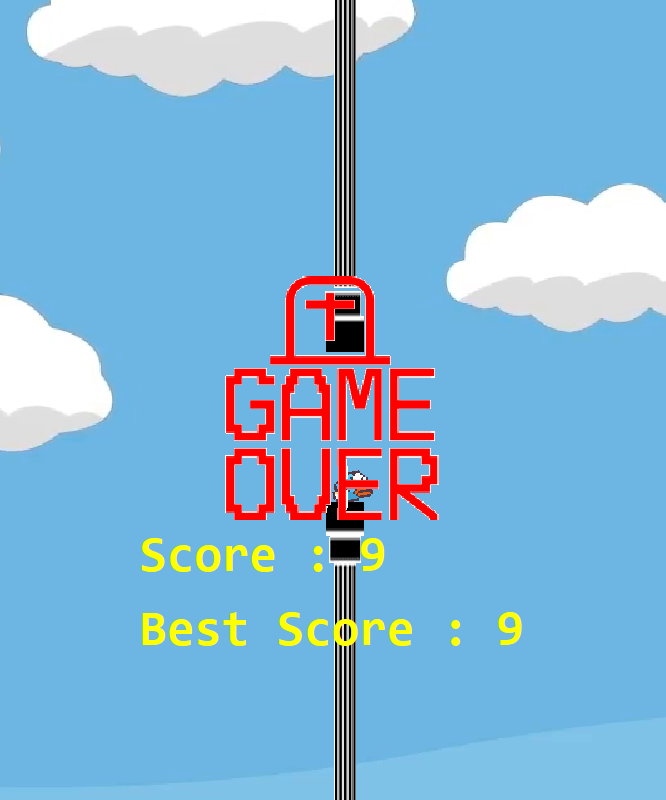
Flappy Bird Clone
Qt C++

Flappy Bird Clone

Create a Flappy Bird clone using Qt Widgets and PySide6, featuring smooth animations, collision detection, and score tracking.

Full Source Code
Step-by-step Guide
Beginner Friendly
3
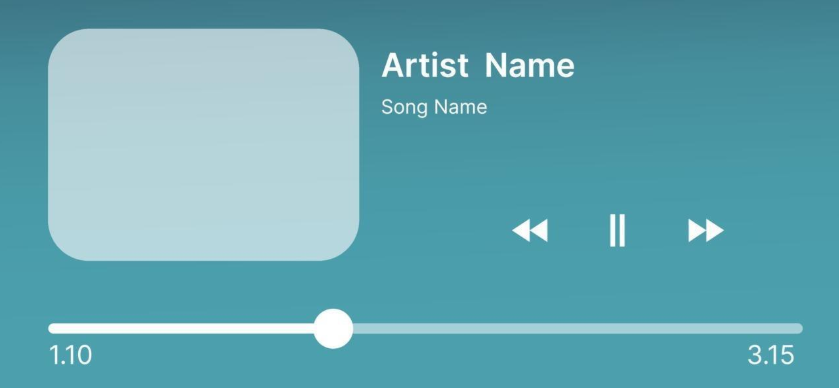
Media Player Application
Qt C++

Media Player Application

This project is in progress.You will use Qt Widgets and PySide6 to develop a cross-platform media player with playlist management, audio controls, and custom UI components.

Full Source Code
Step-by-step Guide
Beginner Friendly
Complete Course Content

What's Inside The Course

17 Chapters, 200+ Lessons — Master Professional Desktop Development with Python and Qt

20 Chapters
211+ Lessons
19+ Hours
Lifetime Access

Chapter 1: Introduction

3 lessons 1 / 20

Welcome to the course! Get an overview of what you'll build, download resources and source code, and see the amazing applications you'll create by the end.

You'll achieve: A clear understanding of the course structure and all resources ready to go

Chapter 2: Environment Setup

5 lessons 2 / 20

Set up your PySide6 development environment. Install PySide6, understand the code structure, organize code in classes, and learn the fundamentals of signals and slots.

You'll achieve: A fully configured PySide6 development environment with solid Python/Qt foundations

Chapter 3: A Tour of Qt Widgets

15 lessons 3 / 20

Explore all essential Qt widgets hands-on. Master QWidget, QMainWindow, buttons, labels, text editors, layouts, checkboxes, radio buttons, lists, tabs, and combo boxes to build professional user interfaces.

You'll achieve: Complete mastery of Qt's widget toolkit for building any desktop UI

Chapter 4: Qt Designer

12 lessons 4 / 20

Learn to design UIs visually with Qt Designer and Qt Creator. Load UI files dynamically, compile them to Python code, and manage resources through both manual and automatic workflows.

You'll achieve: Professional UI design skills using visual tools and proper resource management

Chapter 5: Dialogs

8 lessons 5 / 20

Master dialog windows in Qt. Create custom dialogs, use dialog button boxes, and leverage built-in dialogs for files, fonts, colors, and user input to build interactive applications.

You'll achieve: Ability to create any dialog type for user interaction in your applications

Chapter 6: Styling

7 lessons 6 / 20

Transform your applications with professional styling. Learn Qt styles, palettes, style sheets (Qt's CSS), and external styling to create beautiful, branded desktop applications.

You'll achieve: Polished, professional-looking applications with custom styling and branding

Chapter 7: Settings

1 lessons 7 / 20

Persist application settings between sessions using QSettings. Save user preferences, window positions, and application state for a seamless user experience.

You'll achieve: Applications that remember user preferences and state across sessions

Chapter 8: Files and Directories

4 lessons 8 / 20

Work with the file system in Qt. Read and write files, navigate directories, and manage file operations with QFile and QDir for robust file handling.

You'll achieve: Complete file and directory management capabilities in your applications

Chapter 9: Networking Basics

4 lessons 9 / 20

Connect your applications to the internet. Use QNetworkAccessManager for HTTP requests, parse JSON responses, and integrate web APIs into your desktop applications.

You'll achieve: Network-enabled applications that communicate with web services and APIs

Chapter 10: Event Handling

11 lessons 10 / 20

Master Qt's event system. Understand event propagation, handle specific events, override QObject event handlers, use event filters, and work with custom events for advanced application control.

You'll achieve: Deep understanding of Qt's event system for building responsive, interactive applications

Chapter 11: Custom Widgets

8 lessons 11 / 20

Create reusable custom widgets by composing existing widgets or modifying their behavior. Build a water level monitor, datetime widget, and double-clickable button, then promote them in Qt Designer.

You'll achieve: Ability to create custom, reusable widgets for specialized UI needs

Chapter 12: Painting and Drawing

17 lessons 12 / 20

Master custom painting in Qt. Learn the coordinate system, draw shapes and paths, use pens and brushes, apply gradients and transforms, and build a complete painting application from scratch.

You'll achieve: Complete 2D graphics capabilities for custom visualizations and drawing applications

Chapter 13: Drag and Drop / Clipboard

9 lessons 13 / 20

Implement drag and drop functionality and clipboard operations. Transfer data between widgets, handle dropped images, create custom mime data, and integrate drag/drop into your painting application.

You'll achieve: Professional drag and drop features and clipboard integration in your applications

Chapter 14: The Model View Architecture

32 lessons 14 / 20

Master Qt's Model/View architecture for displaying and editing data. Work with convenience widgets, standard models, proxy models, custom models with full CRUD operations, custom delegates, and build complex applications like an expense tracker with SQLite.

You'll achieve: Expert-level data display and editing with custom models, delegates, and database integration

Chapter 15: Graphics View Framework

34 lessons 15 / 20

Master Qt's Graphics View Framework for advanced 2D graphics. Build interactive scenes with items, handle events, implement transforms and selections, create resizable items, house widgets in scenes, implement drag and drop, and build complete projects including a Flappy Bird game and enhanced PainterApp.

You'll achieve: Advanced 2D graphics capabilities for games, visualizations, and complex graphical applications

Chapter 16: Miscellaneous - Tuning PainterApp

22 lessons 16 / 20

Polish your PainterApp into a professional application. Clean up the UI, add pen and brush properties, implement tool cursors, add copy/cut/paste functionality, enable document saving/loading, implement undo/redo, fix smoothness issues, and add application icons.

You'll achieve: A fully-featured, professional painting application with all standard features

Chapter 17: Internationalization

9 lessons 17 / 20

Make your applications multilingual. Prepare strings for translation, generate translation files, translate using Qt Linguist, create compiled translation files, use QTranslator, load official Qt translations, and save user language preferences.

You'll achieve: Applications that support multiple languages and can reach a global audience

Chapter 18: Packaging

1 lessons 18 / 20

Learn how to package your PySide6 application for distribution. Prepare your application for deployment across different platforms.

You'll achieve: Packaged applications ready for distribution to end users

Chapter 19: Deployment

8 lessons 19 / 20

Deploy your PySide6 applications to Windows, Linux, and macOS. Learn manual dependency loading, automated deployment tools, and creating installers with Qt Installer Framework for professional distribution.

You'll achieve: Cross-platform deployment expertise for distributing your applications professionally

Chapter 20: Next Steps

1 lessons 20 / 20

You've built a solid foundation in PySide6 and Qt Widgets. Discover what to learn next, which advanced Qt topics to explore, and how to continue growing as a professional Qt/Python developer.

You'll achieve: A clear path forward for continued Qt development with Python

After This Course, You'll Be Able To:

1

Build beautiful desktop apps using Python and Qt

2

Create data visualization and analysis tools

3

Integrate with Python libraries and APIs

4

Deploy Python GUI applications professionally

5

Add GUI development to your Python skill set

6

Connect desktop apps to web services and databases

What Students Are Saying

Priya Patel
Priya Patel

Python Developer at Tesla

"The PySide6 course transformed how I think about GUI development. Now I can build desktop apps that actually look professional."
Sarah Chen
Sarah Chen

Software Engineer at Microsoft

"Daniel's courses got me from zero Qt knowledge to building production apps in 6 weeks. The project-based approach made everything click."
Mike Rodriguez
Mike Rodriguez

Freelance Developer

"Best Qt courses I've found. Daniel's teaching style is clear and the projects are actually useful in real work."
David Kim
David Kim

Senior Software Architect

"After 15 years of development, this is the most practical programming course I've taken. The real-world projects make all the difference."

Join 1,200 successful students

Join 4,000+ Successful Students
Course Spotlight

Why This Course?

This course combines the power of Python with the robustness of Qt to create amazing desktop applications. You'll discover how Python's readable syntax makes GUI development more accessible while Qt provides the professional framework needed for real-world applications.

Python's Simplicity – Easy to learn, powerful to use
Cross-Platform Magic – Write once, run on Windows, Mac, and Linux
Real-World Projects – Build applications you can actually use
Modern Python Patterns – Best practices for GUI development
Complete Integration – Connect to databases, APIs, and more
Get Instant Access

Join thousands of successful developers

See it in Action
Live coding demonstration
35+ hours
of content
Python
focused
4.8
rating

Created by Someone Who Understands the Struggle

Daniel Gakwaya

"Python developers often struggle with GUI development. Most tutorials focus on simple examples that don't translate to real applications. I created this course to bridge that gap." With years of experience in both Python and Qt development, this course provides:

• Practical Python GUI patterns that actually work
• Real-world application architecture
• Solutions to common Python GUI problems

Whether you're a Python developer looking to add GUI skills, or someone new to programming who wants to build desktop applications, this course provides a clear, practical path forward.

Course Package

📦 What You'll Get

Everything you need to master Qt Widgets development

35+ Hours of Python-Focused Content
Complete Python Source Code
Python GUI Best Practices Guide
PySide6 Setup and Configuration
Python Developer Community Access
Professional Certificate

Your Complete Learning Journey

Master Python GUI development with PySide6 and create applications that users love. From simple utilities to complex business applications, you'll have the skills to bring your Python ideas to life with professional desktop interfaces.

🎯 Ready to build amazing Python desktop apps?
Get All This Today
Start your journey now
30-Day Money-Back Guarantee

Why Choose This Course Over Other Python GUI Options?

Transform from Python scripts to professional desktop applications

Python-Focused GUI Development

  • Learn GUI development using Python's readable, beginner-friendly syntax
  • Build data visualization apps, file managers, and productivity tools
  • Integrate with popular Python libraries like pandas, requests, and matplotlib

Why This Matters: Tkinter is outdated and ugly, Kivy is mobile-focused, Django is web-only. Qt gives you professional desktop apps with Python simplicity.

Python + Qt Powerhouse

  • Latest PySide6 with Python 3.10+ features and type hints
  • Packaging and distribution for Windows, Mac, and Linux users
  • Database integration with SQLite and API connections with requests

Why This Matters: Most Python GUI tutorials use basic widgets. Learn to create applications that look and feel like professional software.

Python Developer Community

  • Connect with Python developers building desktop applications
  • Get help with Python-specific Qt patterns and best practices
  • Share your projects and get feedback from experienced developers

Why This Matters: Generic Python forums don't understand GUI development, Qt forums assume C++ knowledge. Join developers who know both.

Perfect for Python Developers

  • Add GUI skills to your Python toolkit without learning a new language
  • 30-day guarantee to master Python desktop development risk-free
  • Lifetime updates as PySide6 and Python evolve together

Why This Matters: Learning Java/C# for GUIs means new languages, web frameworks need internet. Extend your Python skills directly.

Ready to Join?

Level up with our comprehensive course library. Get this course individually, or unlock our complete collection including C++, Qt Widgets, QML, 3D graphics, embedded systems, and HMI development for automotive and industrial applications.

Single Course Lifetime

$149
$101

One-time purchase for this course only

Get Instant Access
  • ✅ Access to this course only (videos, updates, downloads)
  • ✅ All PDFs/resources for this course
  • ✅ Standard community access
  • ✅ Certificate of completion
  • ✅ Lifetime access, no monthly fees
  • ✅ Course Q&A support from Daniel
  • ✅ Community code reviews (peer feedback)
  • ✅ Download all course materials
  • ❌ Entire course library access
  • ❌ All current and future courses
  • ❌ Enhanced instructor support (faster responses)
  • ❌ Monthly live Q&A sessions
  • ❌ Code review sessions with Daniel
  • ❌ Priority community support
  • ❌ Early access to new content
Why Choose This Plan:
  • No recurring payments
  • Complete ownership
  • Lifetime access

Library Annual

$360
$330 per year (save $30)

Access all courses at the best price

Join Now & Save
  • ✅ Access to this course only (videos, updates, downloads)
  • ✅ All PDFs/resources for this course
  • ✅ Standard community access
  • ✅ Certificate of completion
  • ✅ Lifetime access, no monthly fees
  • ✅ Course Q&A support from Daniel
  • ✅ Community code reviews (peer feedback)
  • ✅ Download all course materials
  • ✅ Entire course library access
  • ✅ All current and future courses
  • ✅ Enhanced instructor support (faster responses)
  • ✅ Monthly live Q&A sessions
  • ✅ Code review sessions with Daniel
  • ✅ Priority community support
  • ✅ Early access to new content
Premium Advantages:
  • Best price per month
  • Priority instructor access
  • Exclusive early content

30-Day Money-Back Guarantee

Learn with confidence

If you're not completely satisfied with your progress after 30 days, get a full refund. No questions asked.

Full 30-day trial period No questions asked policy Email support for refunds Risk-free learning
30-Day Money-Back Guarantee
Secure payment processing
Join 1,200 students

Frequently Asked Questions

Everything you need to know before getting started

No! Our courses are designed for complete beginners. We cover everything from language basics to advanced patterns. However, if you have programming experience, you'll be able to progress faster.

You'll have access to our Discord community with 4,000+ developers plus direct help from Daniel. Most questions are answered within hours, and complex issues get detailed video responses.

Most students finish in 8-12 weeks studying 1-2 hours per day. However, you can go at your own pace with lifetime access - no pressure or deadlines.

Absolutely! Our courses focus on real-world projects that showcase skills employers want. Many students have landed developer roles, freelance contracts, and promotions after completing our courses.

We offer a 30-day money-back guarantee. If you're not completely satisfied with your progress, get a full refund - no questions asked.

Yes! All courses receive lifetime updates as technologies evolve. When Qt releases new versions or we add new content, you get it automatically at no extra cost.

With the lifetime purchase, yes! You get downloadable videos, source code, PDFs, and resources. Monthly subscribers can access everything online.

Each course lists its prerequisites in the description. Generally, C++ courses assume no prior C++ knowledge, and Python courses assume basic Python familiarity, but we provide refreshers.