I Cloned My Voice and Published a Video. Here's What Happened.
I have been playing with AI tools in my spare time: image generation, video generation, all of it. A few weeks ago I gave some serious attention to the Qwen3-TTS model, which can take a text transcript and turn it into spoken audio. I cloned my own voice, ran it through a few test videos, and then did something I wasn’t sure I was ready to do: I published one. You can watch it here: https://www.youtube.com/watch?v=67Gh8Kk4I3I. Before I did, I sent it to a dozen people who don’t know me. Eight of them didn’t say a word about the voice. They went straight to the content, and most of them even signed up to the newsletter.
That told me something worth sharing.
I Am Not Pro-AI Slop
Let me be clear about where I stand. I walk away from anything that feels AI-generated the moment I notice it. Bad synthetic voices, soulless generated images dropped into a video as filler, AI-written scripts that circle the point without ever landing. I have no patience for any of it.
On the other hand, there are people out there who are using these tools to create things that are genuinely good. As one of my friends likes to say,”these AI tools will help you amplify whatever you are”. If you are an expert in your field, they will help you 10x or even 100x your output. If you are a hack, they will help you produce hacky content at scale. The tools themselves are neutral. It’s how we use them that matters.
I am not going to sugarcoat it: these tools are set to turn things upside down in the creative world. But burying my head in the sand and assuming the bubble will pop and things will go back to the way they were isn’t a strategy either. So I quietly experiment. I try things. I try to understand where these tools genuinely help and where they produce garbage. And I share what I find.
This post is one of those findings.
The Old Way and Why It Has Limits
My normal video production flow looks like this:
Fire up screen recorder
       ↓
Record screen + live narration in one take
       ↓
Hand off raw footage to editor
       ↓
Review edited video
       ↓
Publish
It’s human. Viewers get a real voice sharing real experiences on a path they’re walking themselves. I genuinely value that, and I’m not giving it up.
But it has a hard dependency: me, in front of a microphone, in a good mood, with enough time. Anyone who has shipped things consistently knows that combination is harder to schedule than it sounds. Burnout is real. A tired voice recorded on a bad day produces a video I’m not proud of. And “not proud of it” means it doesn’t go out, which means the pipeline stalls.
The new approach I’ve been building tries to remove that bottleneck without removing the quality.
Write a script (the part I do best)
       ↓
VideoStudio processes it automatically
       ↓
TTS generates audio in chunks
       ↓
I review and accept or reject each chunk
       ↓
Export → draft.blend
       ↓
Final edit in Blender
       ↓
Publish
Large parts of this can be delegated or automated. The screen capture can go to another person on my team. The narration audio can come from a TTS engine running locally on my machine, or I can drop in a recording of my own voice for specific sections if I want. I stay focused on two things that genuinely need me: writing a script that’s up to the standards of my brand, and doing the final editorial pass to make sure what goes out is actually good.
The Tool: VideoStudio
To make this work, I built a tool called VideoStudio. It’s a desktop application written in Python and PySide6 that runs entirely on my own machine. No cloud, no subscription, no third-party service that disappears in six months. It takes a formatted script as input and walks me through three stages: extracting the TTS text, generating and reviewing audio, and exporting everything into a Blender project file.
Here’s what those three stages look like in practice.
Stage 1: TTS Text
The script I write is a structured markdown file. VideoStudio reads it, identifies the narration chunks, and presents them in a table showing the section ID, title, word count, character count, and estimated audio duration. Before anything gets sent to the TTS engine, I can click any row and edit the text directly in the panel on the right.
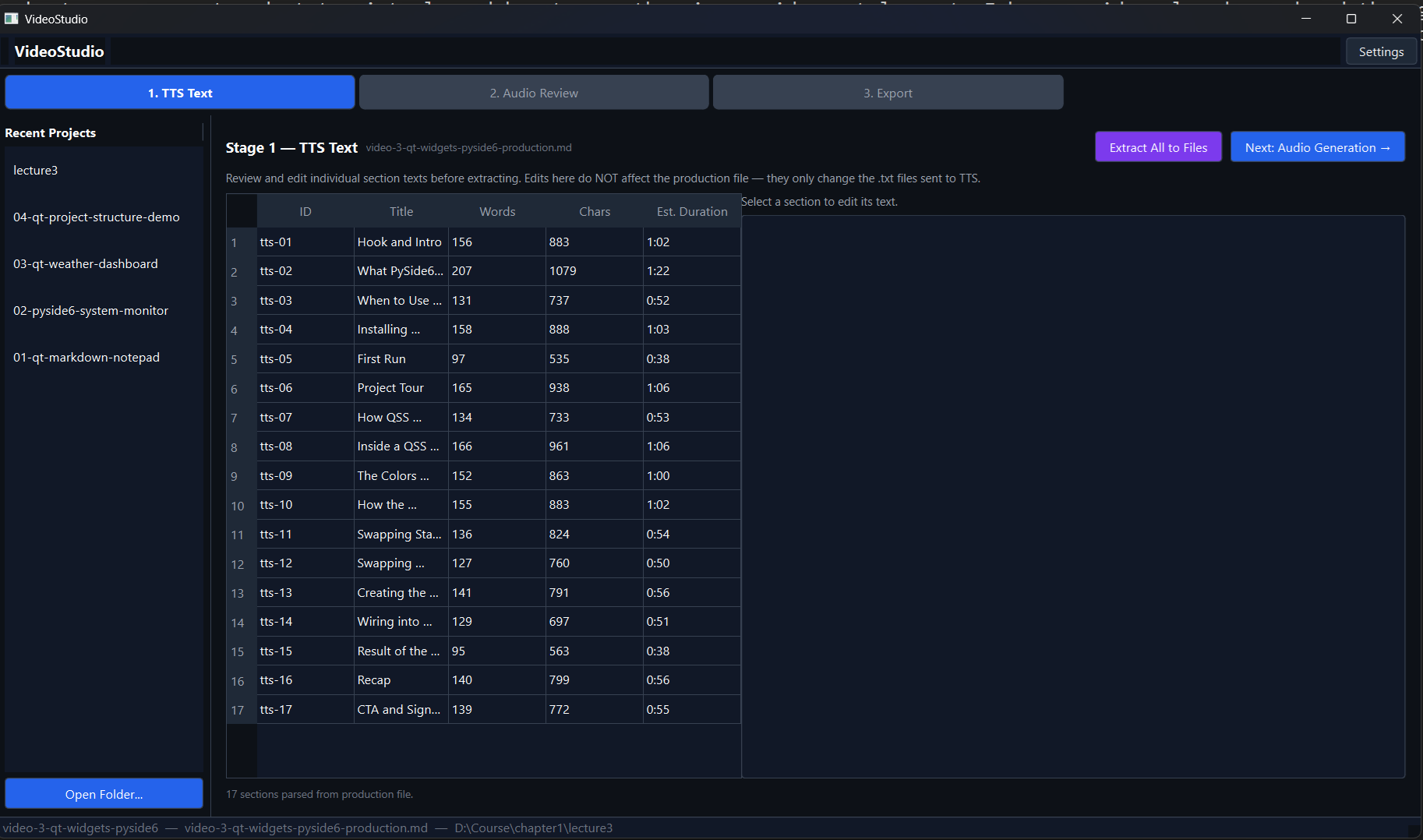
The reason I break the script into chunks rather than feeding it as one block is practical: TTS engines don’t handle long passages well. Past a certain length the audio quality drops, the pacing goes off, and you end up with something that sounds like a robot reading a warranty document. Breaking into chunks of roughly 90 seconds each keeps the output clean. Once everything looks right, I hit “Extract All to Files” and the tool writes each chunk to a text file, ready for the next stage.
Stage 2: Audio Generation and Review
This is where the TTS engine comes in. I run Qwen3-TTS locally on an RTX 3060. I select a voice profile, load the model, hit “Generate All”, and go make coffee. Five minutes later I come back to a screen full of audio cards, one per section, each with a waveform, a duration, and playback controls.
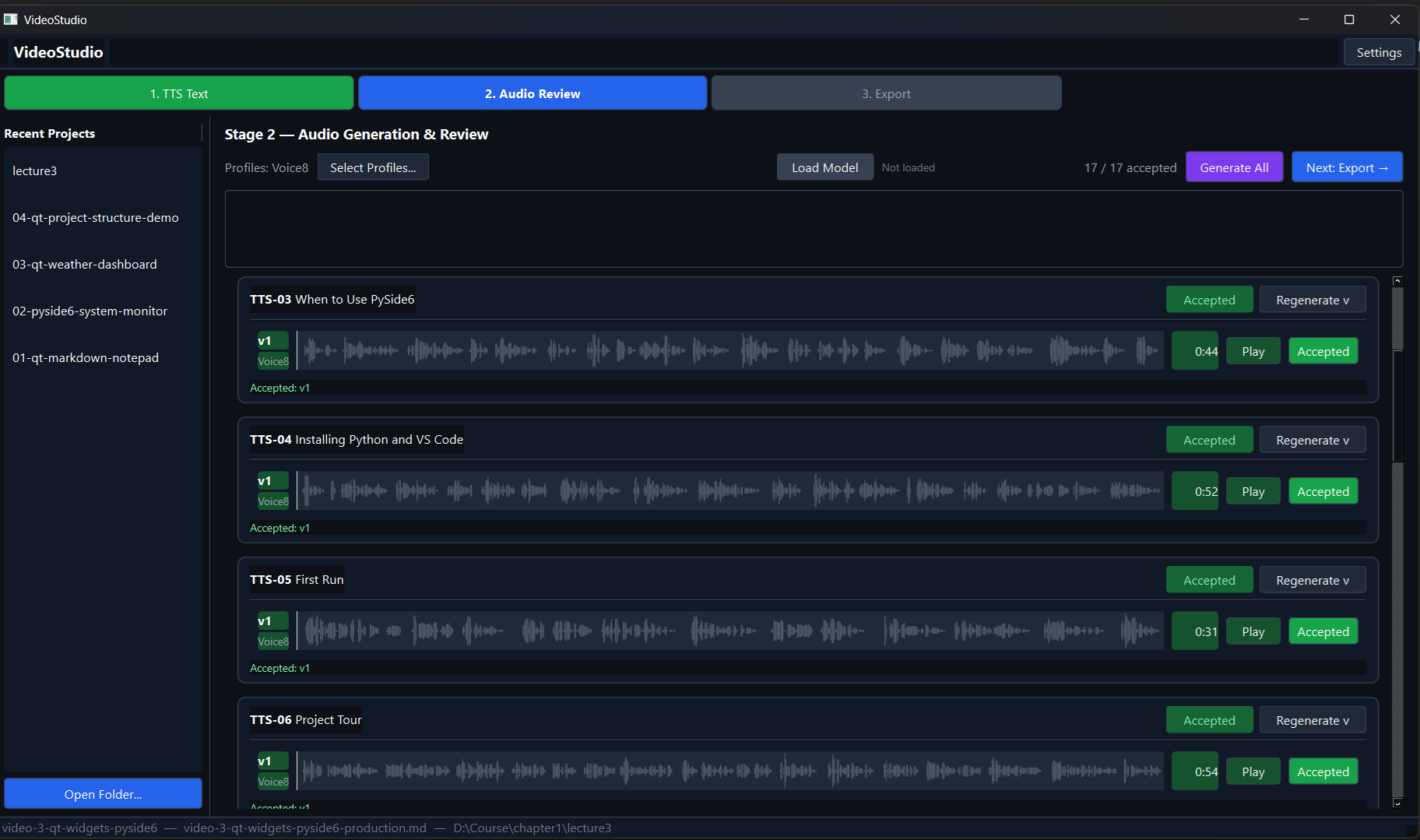
For each section I press play, listen, and decide: accept or regenerate. If a section sounds off (wrong emphasis, odd pacing, a word mangled), I regenerate it, sometimes with a different voice profile to see if another variant handles it better. And here’s the part I want to highlight: if I’m not happy with any generated clip at all, I can record that section myself and drop the file into the project. The tool uses it exactly like a generated file. The pipeline doesn’t care where the audio came from. That flexibility matters.
When all sections are accepted, the counter in the top right reads 17 / 17 and the “Next: Export” button lights up.
Stage 3: Export
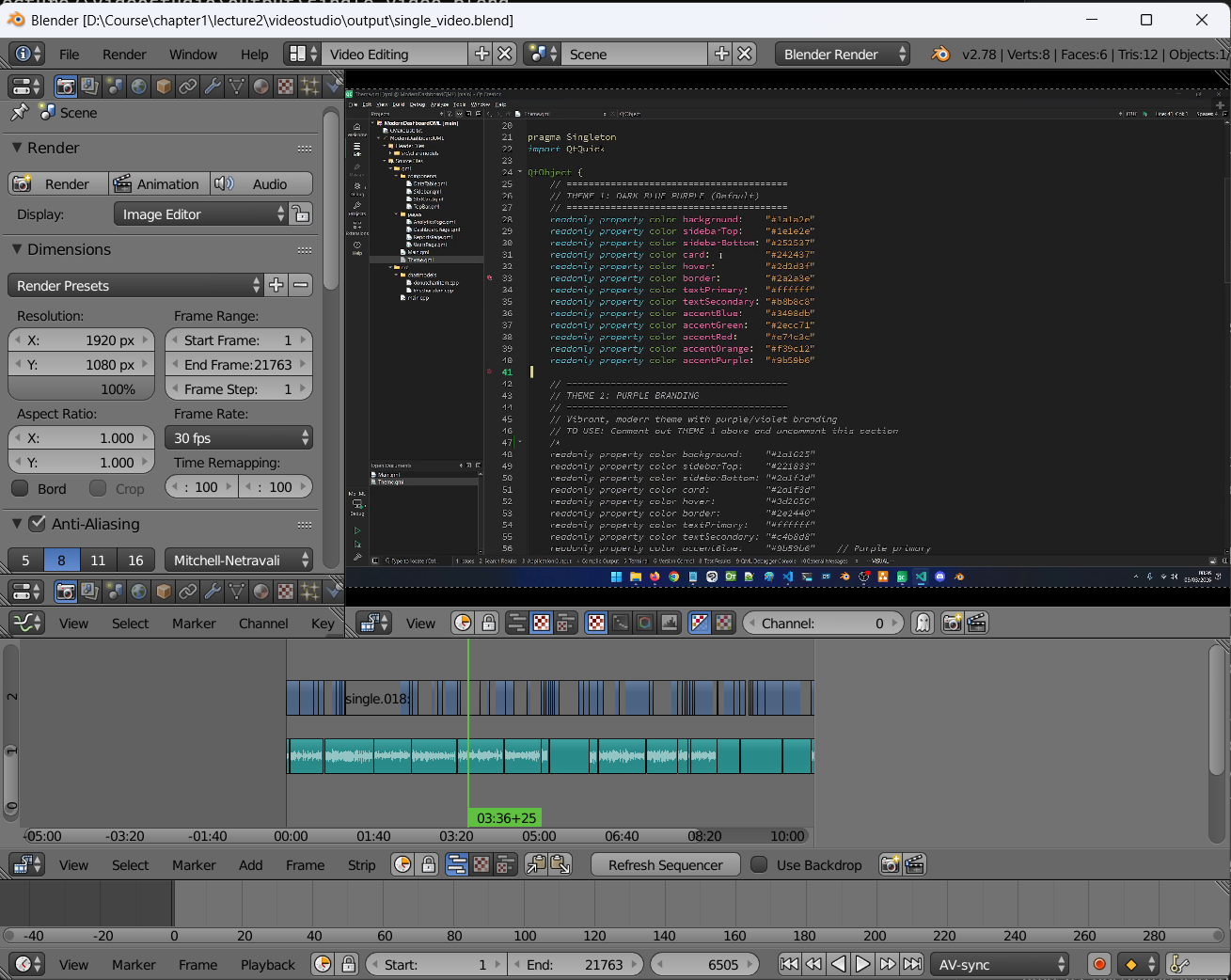
The export stage stitches all the accepted audio files together using FFmpeg, then takes the screen footage clips (or auto-generated title cards if no footage is provided) and builds a Blender project file with everything laid out in the Video Sequence Editor: audio on one channel, visuals on another, timed to match.
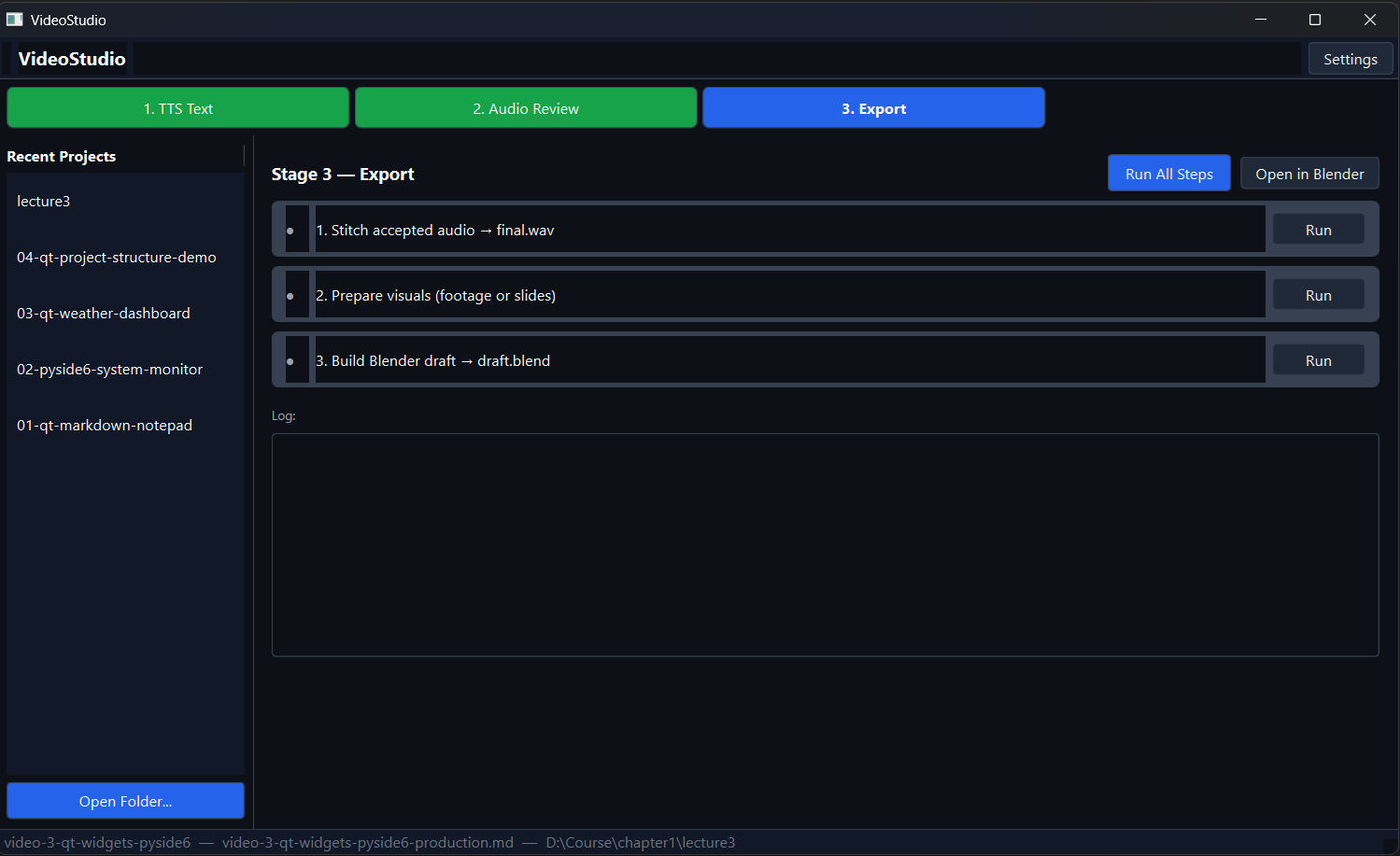
The output is a draft.blend file I can open in Blender and start editing immediately. This is why I chose Blender as the editing environment: it’s scriptable, it’s free, and it has enough customization points that I can keep bending it to fit my workflow. It’s resource-heavy, but older versions run fine for this kind of work.
Is It Perfect?
No. Not yet.
The cloned voice still needs work in certain passages: technical terms, unusual names, sentences where the emphasis is off. I’m still working out the best practices for generating and handing off the screen footage. And the final Blender editing pass still takes more time than I’d like. These are all solvable problems, and I’m working through them one by one.
What I can say is that this pipeline has already removed the single biggest blocker in my old workflow. I no longer need to be in front of a microphone at exactly the right moment.
One more thing: I plan to open source VideoStudio. The code still needs some cleanup before I’m comfortable putting it out there, but that’s the direction. If that’s something you’re interested in, keep an eye out.
One Question Before You Go
If you haven’t watched the video yet, I’d appreciate it if you spared a minute: https://www.youtube.com/watch?v=67Gh8Kk4I3I. Then come back and tell me honestly: is the AI voice a turn-off? Would you have noticed without the context this post gives you? I take quality seriously. I wouldn’t publish something I hadn’t personally reviewed and was proud of. But I also acknowledge the danger of these tools in the hands of people who don’t.
Where This Leaves Me
I have real nostalgia for what it was like to be a creative builder a decade ago. I watched stable diffusion displace illustrators. I watched animators lose work to tools they had no say in. I see white-collar jobs evaporating in real time. It’s uncomfortable to be honest about.
But folding arms and hoping for the best has never been a strategy. I’d rather understand these tools well enough to use them on my own terms, with my own standards, than be surprised by them later.
What are you doing to fight forward? I’m genuinely curious. Drop it in the comments.
Happy building!
Daniel.
Qt6 QML For Beginners Book
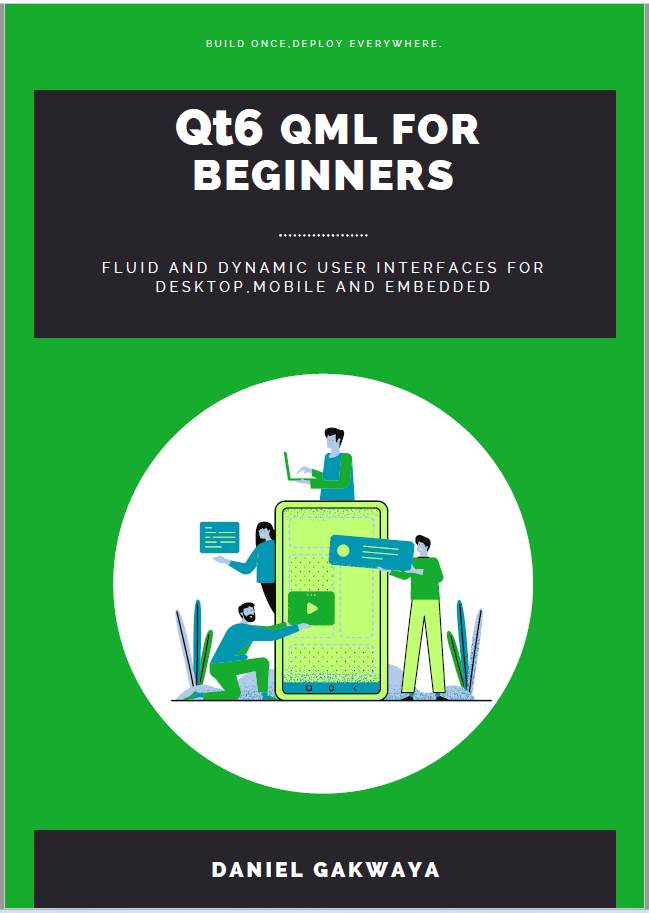
Master the fundamentals of Qt6 QML development with this comprehensive 400+ page guide. Learn declarative UI programming from scratch with real-world examples and cross-platform development techniques.
Qt6 QML Advanced - C++ Integration
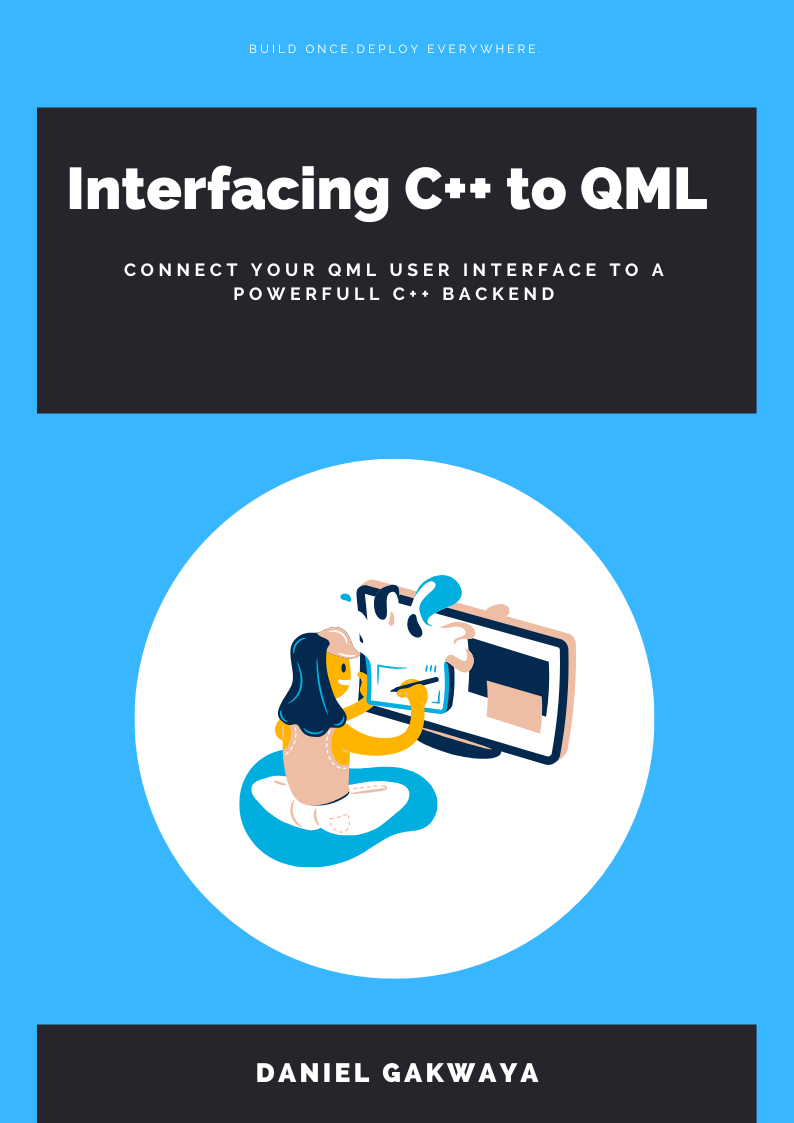
Take your Qt6 QML skills to the next level with advanced C++ integration techniques. 350+ pages covering QML-C++ integration, performance optimization, and advanced patterns for production-ready applications.

Desktop Apps with Qt Widgets and C++
Master professional desktop application development using Qt Widgets and modern C++. 40+ hours of content with 5+ real projects. Perfect for beginners to intermediate developers.
Desktop Apps with Qt Widgets and PySide6
Learn to build powerful desktop applications using Qt Widgets and Python. 35+ hours of hands-on content with 4+ real-world projects to boost your Python GUI skills.
Qt QML From Beginner to Pro
Master modern UI development with Qt QML and Qt Quick. 50+ hours of comprehensive training with 6+ real projects. Build fluid, dynamic interfaces for desktop, mobile, and embedded devices.
Multi-Threading and IPC with Qt C++

Harness the power of multi-threading and inter-process communication in Qt. 8-12 hours of intensive training with 6+ hands-on demos. Take your Qt C++ skills to the next level.